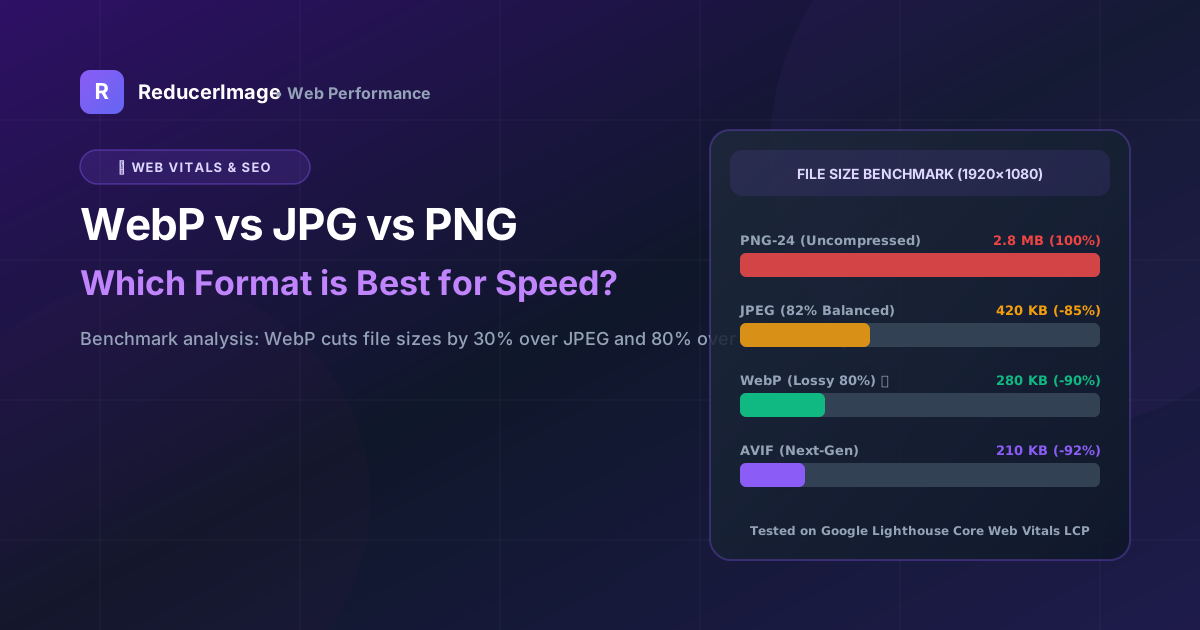
Images account for more than 60% of total webpage payload on the modern internet. Choosing the wrong image format can dramatically slow down page load times, damage your Google Core Web Vitals (specifically Largest Contentful Paint - LCP), and hurt your search engine rankings.
In this guide, we compare the three leading web image formats: JPEG, PNG, and WebP, and explain when to use each one.
Format Comparison Summary
| Format | Best For | Compression Type | Transparency (Alpha) |
|---|---|---|---|
| WebP | Modern Websites & Blogs | Lossy & Lossless (25-35% smaller than JPG) | Yes |
| JPEG / JPG | Exam Portals, Print, Old Browsers | Lossy (DCT Quantization) | No |
| PNG | Logos, UI Icons, Sharp Screenshots | Lossless (DEFLATE / LZ77) | Yes |

Why WebP is Google's Recommended Standard
Developed by Google, WebP uses predictive coding based on the VP8 video codec. It analyzes neighboring pixel blocks to predict values and only encodes the difference. This makes WebP lossy images 25% to 34% smaller than equivalent JPEGs at identical visual quality scores (SSIM).
When Should You Use Each Format?
- Use WebP: For all website hero images, blog banners, product catalogs, and thumbnails where speed matters.
- Use PNG: When you need lossless text, logos with fine shadows, or crisp UI application icons.
- Use JPEG: When submitting files to legacy government forms or university entrance portals that do not yet support modern formats.
You can easily convert between any of these formats using our Image Format Converter or JPG to WebP Tool.
Reader Comments (0)