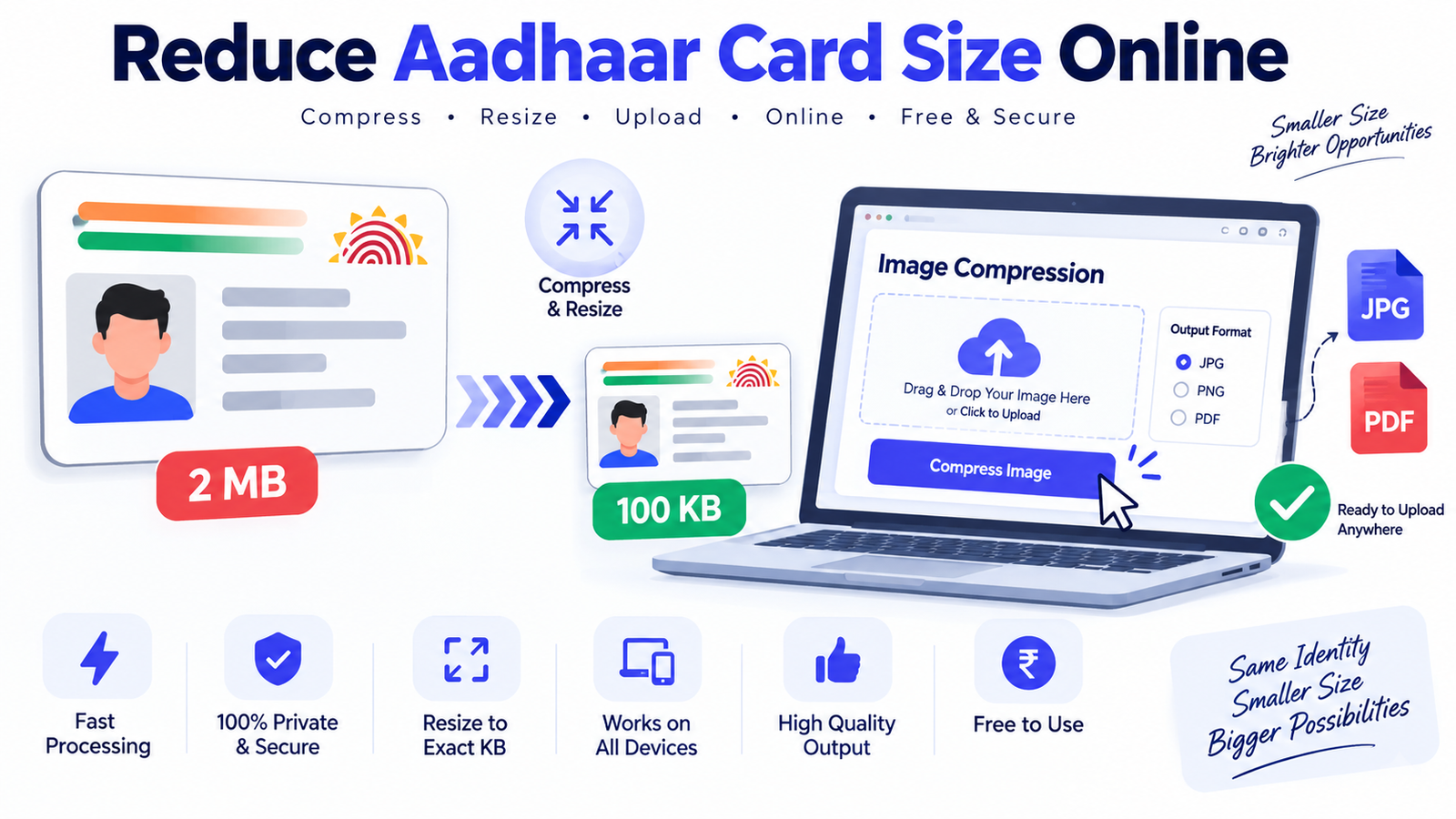

Need to upload your Aadhaar card for an online application but the file is too large? You can reduce Aadhaar card size online without unnecessarily compromising readability. Many government portals, scholarship applications, recruitment websites, banking services, and verification forms impose file-size limits for documents and images. A PDF or scanned Aadhaar image that looks perfectly fine on your phone can still exceed those limits.
This guide explains practical ways to reduce Aadhaar card file size, including PDF compression, JPG/PNG compression, resizing, image-quality optimization, and choosing the right output format. It also covers common file-size requirements, privacy considerations, mistakes to avoid, and how to prepare an Aadhaar document for online uploads while keeping important information readable.
How to Reduce Aadhaar Card Size Online Without Losing Readability

The simplest way to reduce Aadhaar card size online is to first identify what type of file you have. An Aadhaar card may be available as a PDF downloaded from an official service, a scanned JPG/JPEG image, a PNG screenshot, or a photograph taken using a smartphone. Each format behaves differently when compressed. For example, a scanned document containing large amounts of unnecessary resolution can often be reduced substantially by resizing it and optimizing its image quality. A PDF containing scanned images may also become smaller when its embedded images are compressed.
Before compression, check the current file size and the maximum size allowed by the website where you intend to upload it. If a portal accepts a file up to 200 KB, reducing a 1 MB image to 900 KB will not solve the problem. You need to target a practical size below the portal's limit while retaining enough resolution for the Aadhaar number, name, date of birth, photograph, QR code, and other relevant details to remain legible. If the portal specifies dimensions as well as file size, both requirements should be considered rather than focusing only on kilobytes.
Reduce Aadhaar PDF Size Online for Government and Application Forms

If your Aadhaar document is a PDF, the best approach is usually PDF compression rather than taking a screenshot and converting it into another format immediately. A PDF can contain text, vector elements, metadata, and embedded images. A scanned Aadhaar PDF may be larger because the pages contain high-resolution raster images. PDF compression can reduce the size by optimizing those embedded images and removing unnecessary information while preserving the document structure.
When choosing a compression level, avoid automatically selecting the strongest possible compression. Excessive compression can make small text blurry and may reduce the clarity of important document elements. A better method is to compress the file, open the resulting PDF, and inspect it at normal viewing size. .
How to Compress Aadhaar JPG, JPEG and PNG Images

A very high-resolution scan may contain considerably more pixels than an online application actually needs. Reducing those dimensions can produce a substantial reduction in file size before additional compression is applied.
PNG files can sometimes be considerably larger than JPEG files when they contain photographic or scanned-document content. PNG is useful when lossless quality or transparency is important, but an Aadhaar document generally does not need transparency.
If the receiving website accepts JPG/JPEG, converting an unnecessarily large PNG scan to an appropriately sized JPEG can be an effective way to reduce the upload size. However, always follow the file-format requirements of the specific portal. If the portal explicitly requires PNG, keep the PNG format and optimize it instead of changing formats simply to make the file smaller.
For a document containing small text, compression should be performed carefully. Reducing quality too aggressively can introduce artifacts around letters and numbers, making the document difficult to read.
Best Aadhaar Card Image Size and File Size for Online Uploads

For this reason, the upload instructions on the destination website should always be treated as the primary requirement. If a form says that the document must be below a particular number of kilobytes, use that number as the target. If it specifies dimensions such as width and height, follow those specifications as well.
It is also useful to distinguish between file size and image dimensions. File size is normally measured in KB or MB, while dimensions are measured in pixels. A 200 KB image and a 2000 × 1000 pixel image describe different properties. Two images with identical dimensions can have very different file sizes because of differences in format, image content, metadata, and compression. Likewise, simply changing the dimensions does not guarantee a specific file size.
How to Reduce Aadhaar Card to 20KB, 50KB, 100KB or Other Limits

Suppose an Aadhaar image is 1.5 MB and an application allows only 100 KB. Simply selecting a low-quality compression preset may produce a file that is technically small enough but difficult to read. A more controlled approach is to crop unnecessary background areas, resize the document to a sensible resolution, convert it to the required format, and then apply moderate compression.
For an exact-KB requirement, remember that the final file size can vary depending on the image itself. A mostly white document may compress differently from a document containing photographs, dark backgrounds, shadows, or other visual details. Consequently, there is no universal quality setting that guarantees exactly 50 KB for every Aadhaar image.
Step-by-Step Guide to Reduce Aadhaar Card Size Online

Step 2: Check the destination website. Before modifying the document, read the upload instructions carefully. Look for accepted file formats, maximum file size, minimum dimensions, maximum dimensions, and any other document-specific requirements. This prevents you from compressing a PDF when the portal actually requires JPG, or converting a JPG when the portal specifically requires PDF.
Step 3: Remove unnecessary content. If the uploaded image contains large areas of background around the Aadhaar card, crop those areas where appropriate. Cropping can reduce the number of pixels that need to be stored and can also make the actual document easier to view. However, do not crop away any portion of the Aadhaar card or information that the receiving organization requires.
Step 4: Resize when necessary. A modern smartphone camera can produce images with much higher resolution than many online forms require. If the original image is extremely large, reduce its pixel dimensions while maintaining the document's aspect ratio. Avoid stretching the image because distortion can affect the readability of text and numbers.
Step 5: Compress the file. Use an appropriate compression method for the format. JPEG compression works particularly well for photographic and scanned content. PNG optimization can reduce unnecessary data while retaining its lossless characteristics. PDF compression can optimize scanned pages within a PDF without requiring you to recreate the entire document.
Step 6: Check the final file. Open the compressed document before uploading it. Make sure the important information is readable and that the file opens correctly. Check the final size and confirm that it meets the website's requirements.
Use an Online Image Compressor to Reduce Aadhaar Card Size

An online image compressor can be convenient when you need to reduce an Aadhaar JPG, JPEG, PNG, or another supported image format quickly. A browser-based tool can allow you to upload the image, select a compression level or target size, process the file, and download the optimized result. This can be particularly useful when you are completing an application on a computer and do not want to install desktop image-editing software.
For document-related images, however, convenience should not replace privacy awareness. Aadhaar contains personally identifiable information, so users should understand how an online service handles uploaded files before submitting a document. Look for clear information about file processing, retention, deletion, encryption, and whether files are transferred to a server. A browser-based tool that performs processing locally on the device can provide an additional privacy advantage because the original image does not necessarily need to be uploaded to a remote server.
If you use ReducerImage or another browser-based image-compression service, select the tool that matches your file type and target requirement. For example, a JPG compressor is appropriate for a JPEG image, while a PDF-specific workflow is needed for an Aadhaar PDF. If you need a specific target such as 50 KB or 100 KB, use a target-size feature where available instead of relying solely on a generic quality slider. After processing, inspect the output before submitting it to the application portal.
Aadhaar Card Compression: Privacy and Security Considerations

Privacy deserves particular attention when handling identity documents. An Aadhaar card can contain information that should not be unnecessarily exposed to third-party services. Before using an online compression website, review its privacy policy and understand whether uploaded documents are stored, how long they remain available, and whether processing occurs locally in your browser or on a server. Avoid uploading sensitive documents to unfamiliar websites simply because they advertise extremely high compression.
When possible, choose a workflow that minimizes unnecessary sharing. If a compression tool can process an image locally within the browser, that can reduce the need to transmit the original document to an external server. You should also avoid posting Aadhaar images publicly, sharing them through unnecessary messaging groups, or leaving downloaded copies in publicly accessible folders. Once you have completed an application, review whether temporary copies or unnecessary duplicate files remain on shared devices.
Another useful precaution is to follow the principle of minimum necessary disclosure. If an application specifically asks for a particular Aadhaar document or masked Aadhaar where applicable, provide the document that satisfies the stated requirement rather than uploading additional identity documents. Follow the instructions of the organization requesting the document and applicable official guidance. Compression changes the file's size; it does not make an otherwise inappropriate document acceptable for a particular application.
Common Mistakes When Reducing Aadhaar Card File Size
One of the most common mistakes is compressing the file too aggressively. Users sometimes focus exclusively on reaching a small KB limit and forget that the uploaded document must remain readable. If text becomes pixelated or the Aadhaar number is difficult to distinguish, the application may reject the file or require another upload. A slightly larger file that remains within the portal's limit is generally more useful than an extremely small but unreadable image.
Another mistake is ignoring the required format. Converting every document to JPG may seem convenient, but it can cause problems if the application accepts only PDF or PNG. Similarly, renaming a file extension does not actually convert its underlying format. Use a proper conversion process when conversion is required. Also check whether the website requires a single-page document, a specific orientation, or a particular dimension.
A third mistake is repeatedly taking screenshots of an already compressed document. Every additional conversion or screenshot can potentially reduce quality, introduce scaling problems, or create unnecessary metadata. Whenever possible, start with the highest-quality legitimate source available, then perform the required resizing and compression once. Keep the original file separate so that you can create another version later if a different application has different requirements.
How to Make Aadhaar Images Smaller on Mobile Phones

Smartphones make it easy to scan or photograph an Aadhaar card, but the resulting image can be much larger than necessary. Before uploading it, check whether the application requires a photograph of the physical card, a PDF document, or another specific format. If a photo is permitted, ensure that the card is fully visible, properly aligned, and photographed in adequate lighting. Avoid unnecessary shadows, reflections, fingers, or background objects that make the document harder to process.
After capturing the document, you can crop excess background and resize the image using a suitable image-compression workflow. Avoid sending the image through multiple social-media or messaging applications merely to reduce its size because these services may apply their own compression and may alter image dimensions. A dedicated compression tool gives you more control over the final dimensions, format, and quality.
Once the image has been optimized, check its file size using your phone's file manager. Open the image at full size and confirm that all relevant information remains readable. If the application has a strict requirement such as less than 100 KB, verify the exact size rather than relying on an estimate shown during processing. Keep the original document in a secure location and use the compressed copy only for the intended upload.
Why File Size Matters for Aadhaar Online Applications
Online application systems frequently impose upload limits because they need to handle large numbers of files efficiently. Smaller documents consume less storage and bandwidth and can generally be processed more efficiently. This is one reason recruitment portals, educational application systems, government services, and other websites may specify maximum upload sizes.
However, smaller is not automatically better. A document needs sufficient visual information for the receiving system or person to verify it. The objective of compression should therefore be to achieve an appropriate balance between file size and readability. A well-optimized Aadhaar image removes unnecessary data while retaining the information needed for the intended purpose.
For applicants, preparing the file in advance can prevent last-minute upload problems. Instead of waiting until the final submission stage, check the document requirements early, create an appropriately compressed copy, and test that the file opens correctly. If the portal has a preview function, use it to confirm that the uploaded document appears as expected before completing the application.
Reduce Aadhaar Card Size Online: JPG vs PNG vs PDF
JPG/JPEG: This format is often practical for photographs and scanned documents because it supports adjustable lossy compression. A properly optimized JPEG can provide a substantial reduction in size while retaining acceptable readability. It is particularly useful when an application explicitly requests JPG or JPEG.
PNG: PNG uses lossless compression and is useful when preserving exact pixel information is important. However, photographic or scanned documents can sometimes result in larger PNG files than equivalent JPEG files. If the destination website requires PNG, optimize the PNG rather than converting it to another format without checking the requirements.
PDF: PDF is useful when the source document is already distributed as a PDF or when the application specifically requests PDF. A PDF may contain one or more pages and can preserve document structure. For scanned documents, PDF compression can optimize embedded images. Always verify the resulting PDF after compression because excessive optimization may affect the clarity of small text.
How to Check Whether Your Compressed Aadhaar File Is Ready
Before uploading the final document, perform a simple checklist. First, confirm that the extension is correct. Second, check the file size against the portal's maximum limit. Third, open the document and inspect it at normal size. Fourth, verify that important text and document elements remain readable. Fifth, make sure the file is not accidentally rotated, cropped incorrectly, or corrupted.
If the application requires a specific dimension, check the pixel dimensions as well as the KB size. If it requires a specific format, confirm the actual format rather than simply changing the filename. If the portal rejects the document even though the size and format appear correct, reread its requirements for dimensions, page count, naming conventions, or other restrictions.
Finally, retain a secure copy of the original document. Compression is generally a one-way quality trade-off, and you may need the original later to create a different version for another website. Keeping the original separate from upload-ready copies also makes it easier to prepare documents for applications with different file-size limits.
Benefits of Reducing Aadhaar Card Size Online
Reducing Aadhaar file size can make online applications easier when the original document exceeds an upload limit. Smaller files can be uploaded more easily, particularly on slower connections, and can reduce the likelihood of an application form rejecting a document because it is too large. It can also make document storage and sharing more convenient when the compressed version still meets the required quality.
Another benefit is flexibility. A single high-resolution source file can be used to create multiple versions, such as a compressed JPG for one application, a smaller PDF for another, and a higher-quality version for situations where the portal permits larger files. This avoids repeatedly photographing or scanning the same document.
Most importantly, controlled compression lets you choose the appropriate balance between quality and size. Rather than randomly reducing an image until it passes an upload check, you can intentionally resize, compress, inspect, and verify the final document. This approach is particularly useful for identity documents where readability matters.
Conclusion: Reduce Aadhaar Card Size Online Safely and Effectively
To reduce Aadhaar card size online, begin by identifying the original file format and checking the exact requirements of the website where you plan to upload it. Choose the appropriate compression method for JPG, PNG, or PDF, and use resizing and cropping when they can reduce unnecessary data. If the portal has a strict limit such as 20 KB, 50 KB, 100 KB, or 200 KB, work toward the required size gradually rather than sacrificing readability through excessive compression.
Always inspect the final file before uploading it. The Aadhaar number and other necessary information should remain readable, the file should use the required format, and the final size should fall within the portal's stated limit. Because Aadhaar is a sensitive identity document, privacy should also be considered when selecting an online compression service. Where practical, use a workflow that minimizes unnecessary transmission or storage of the document.
The best result is not simply the smallest possible file. It is a file that is small enough for the application, clear enough to read, in the correct format, and handled with appropriate privacy precautions. By following these steps, you can prepare Aadhaar documents efficiently for online applications without unnecessarily reducing their quality.
Frequently Asked Questions About Reducing Aadhaar Card Size Online
How can I reduce Aadhaar card size online?
You can reduce the size of an Aadhaar JPG, JPEG, PNG, or PDF by using an appropriate compression tool. Depending on the original file, you can resize the image, crop unnecessary background, optimize the file format, and adjust compression quality. Always check the final file against the upload requirements of the website.
Can I reduce an Aadhaar image to 50 KB?
Yes, an Aadhaar image can often be reduced to 50 KB, but the exact result depends on its dimensions, format, content, and original quality. If 50 KB is the application's maximum limit, progressively resize and compress the image while checking readability rather than using extremely aggressive compression immediately.
How do I reduce Aadhaar PDF size?
Use a PDF compression workflow designed for scanned documents. PDF compression can optimize embedded images and remove unnecessary data. After compression, open the PDF and check that the document remains readable and that all required pages are present.
Should I use JPG or PDF for Aadhaar?
Use whichever format the destination website specifies. If the portal accepts JPG, a properly compressed JPEG can be convenient for a single image. If the portal requires PDF, keep the document as PDF and use PDF compression instead of changing formats unnecessarily.
Why is my Aadhaar JPG still large after compression?
The image may have very large pixel dimensions, high JPEG quality, unnecessary background, or metadata that contributes to the file size. Resizing the image before or alongside compression can often provide a greater reduction than simply lowering the quality setting.
Can I reduce Aadhaar card size without losing quality?
Some reduction can be achieved with little noticeable visual change, especially when the original file contains excessive resolution or unnecessary data. However, lossy compression always involves some trade-off. For important documents, prioritize readability over achieving the smallest possible file size.
What should I do if the Aadhaar file is larger than the upload limit?
First check the portal's accepted format, maximum file size, and dimension requirements. Then create a smaller copy using appropriate resizing and compression. Verify the final file size and readability before uploading it.
Can I reduce Aadhaar card size on my mobile?
Yes. You can crop and resize the image on a smartphone and use a suitable browser-based compression workflow. Before uploading, check the resulting file size and open the image to ensure that important information remains readable.
Is online Aadhaar compression safe?
Safety depends on how the particular service processes uploaded files. Because Aadhaar contains sensitive personal information, review the service's privacy and file-retention practices before uploading. A browser-based workflow that performs processing locally can reduce the need to transmit the original document to a remote server.
Can I reduce an Aadhaar image to exactly 100 KB?
You can target approximately or below 100 KB using a target-size compression workflow, but exact file size can vary based on image content and format. If the application says “maximum 100 KB,” staying slightly below the limit is generally more practical than trying to hit exactly 100 KB.
Does reducing file size reduce Aadhaar validity?
Compression changes the digital file's size and potentially its visual quality; it does not change the underlying Aadhaar record. However, the uploaded copy still needs to satisfy the requirements of the organization requesting it. Do not alter or obscure information that the receiving organization requires for verification.
How can I reduce Aadhaar image size without making the text blurry?
Start by removing unnecessary background and reducing excessive dimensions. Then apply moderate compression and inspect the result. Avoid repeatedly converting or screenshotting the document, as repeated processing can reduce clarity. The goal should be the smallest file that still keeps all required information clearly readable.
Reader Comments (0)